Introduction: What is the Ontario Drug Benefit (ODB) Program?
If you are new to working in a Canadian pharmacy or studying to become a Pharmacy Assistant, billing prescription insurance is one of the very first skills you need to learn.
In Ontario, the biggest prescription insurance plan you will work with every single day is the Ontario Drug Benefit program (also called the drug benefit program Ontario or simply ODB).
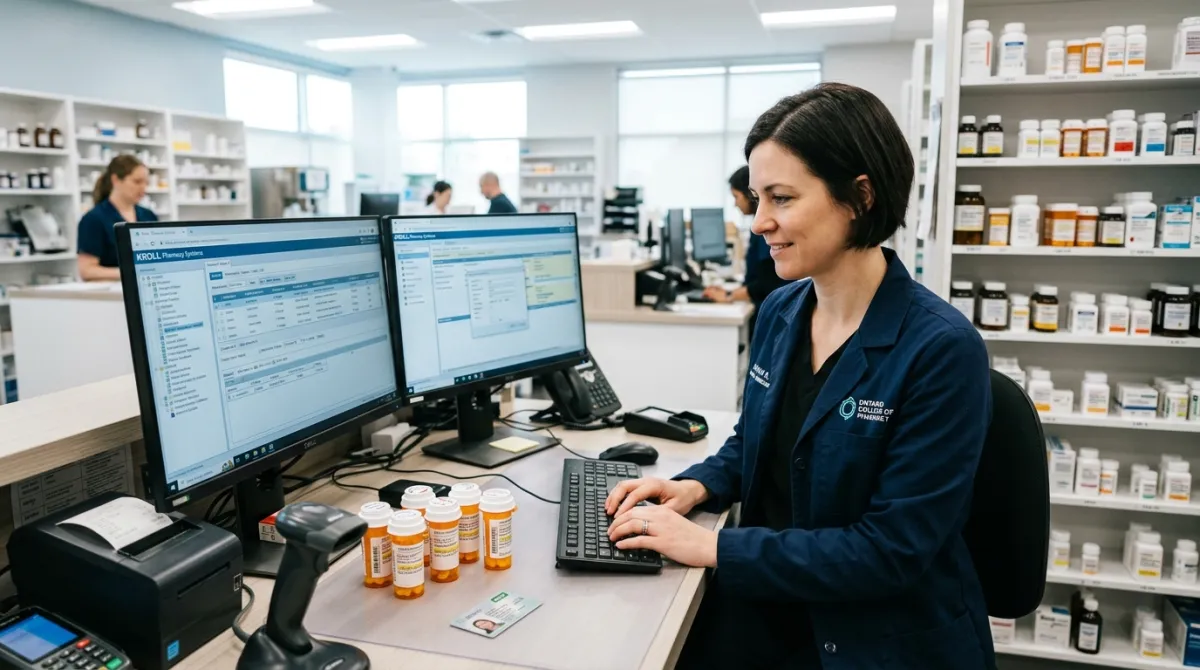
Whenever an eligible patient brings a prescription to your pharmacy counter—whether you work at Shoppers Drug Mart, Rexall, Costco, Walmart, or an independent community pharmacy—you will enter their information into your computer software (like Kroll) and bill ODB electronically.
In this beginner-friendly guide, we will break down everything in simple, everyday language so you can feel confident, avoid common billing mistakes, and help patients get their medications quickly and affordably.
💡 What is ODB in Simple Terms? The Ontario Drug Benefit program is a government-funded health plan in Ontario that helps pay for over 5,000 approved prescription medications. It helps seniors aged 65+, low-income families, youth under 25, and people with very high medication costs.
3 Key Pharmacy Billing Terms Every Beginner Must Know
Before we look at the different programs, let's understand 3 simple pharmacy billing words that you will hear every day in the dispensary:
- Deductible: This is the fixed dollar amount a patient must pay out-of-pocket each year before the government starts paying for their medications.
- Simple Example: If a senior has a $100 deductible, they pay the first $100 of their drug costs starting August 1st. Once that $100 is paid off, ODB kicks in and pays the rest.
- Co-Payment (Copay): This is the small fee a patient pays for each prescription filled after their deductible is paid off (usually $6.11 or $2.00 per prescription).
- DIN (Drug Identification Number): Every single medicine approved in Canada has a unique 8-digit number printed on the bottle (for example,
02290345). When you type this 8-digit number into Kroll, the computer knows the exact brand, strength, and form of the medicine.
Who Qualifies for ODB? The 5 Main Patient Groups
Not everyone in Ontario is automatically covered by ODB. The Ontario Drug Benefit program covers 5 specific groups of patients. Here is a clear summary table:
| Who is Covered? | Yearly Deductible | Co-Pay per Rx | When Does Plan Reset? |
|---|---|---|---|
| 1. Standard Seniors (65+) | $100.00 per year | Up to $6.11 | Every August 1st |
| 2. Low-Income Seniors (LISC) | $0.00 (No deductible!) | Up to $2.00 | Every August 1st |
| 3. Ontario Works (OW) / ODSP | $0.00 (No deductible!) | Up to $2.00 | Checked Monthly |
| 4. OHIP+ Youth (Under 25) | $0.00 (No deductible!) | $0.00 (Free!) | On 25th Birthday |
| 5. Trillium Drug Program | Based on Income (~4% net) | Up to $2.00 | Every August 1st |
| 6. Home Care & LTC Residents | $0.00 (No deductible!) | $0.00 (Free!) | Continuous coverage |
Let's look at each group in plain English:
1. Ontario Seniors Drug Benefit Program (Ages 65 and Older)
The Ontario seniors drug benefit program (also called the Ontario senior drug benefit program or Ontario drug benefit program for seniors) automatically covers every Ontario resident starting on the first day of the month after they turn 65.
There are two income levels for seniors:
A. Standard Senior Coverage (Higher Income)
- Who it is for: Single seniors earning over $22,200/year, or senior couples earning over $37,100/year.
- What they pay:
- An annual $100.00 deductible (starting on August 1st of every year).
- After paying the $100 deductible, they pay a maximum $6.11 copay for each prescription.
B. Low-Income Senior Co-Payment Program (LISC)
- Who it is for: Single seniors earning $22,200 or less, or senior couples earning $37,100 or less (or seniors receiving the federal Guaranteed Income Supplement / GIS).
- What they pay:
- $0 deductible (they do not pay the $100 fee).
- Only a $2.00 copay per prescription.
💡 Helpful Tip for Pharmacy Assistants: The ODB "benefit year" runs from August 1st to July 31st of the next year. On August 1st, all deductibles reset to zero. Many seniors are surprised when their prescription costs more in August—kindly explain to them that their annual $100 deductible has reset for the new benefit year.
2. Social Assistance: Ontario Works (OW) & ODSP
Patients receiving financial or disability assistance through Ontario Works (OW) or the Ontario Disability Support Program (ODSP) are covered under the Ontario Drug Benefit program.
- Deductible: $0.00
- Co-payment: Maximum $2.00 per prescription (many pharmacies choose to waive this $2.00 fee so the patient pays nothing).
- Monthly Eligibility: The government updates social assistance eligibility on the 1st day of every month. If a claim rejects with "Patient Not Covered", ask the patient to check with their case worker.
3. OHIP+ (Children and Youth Under Age 25)
OHIP+ gives free prescription coverage to children and young adults from birth until their 25th birthday.
- Deductible: $0.00
- Co-payment: $0.00 (100% free for covered medicines).
⚠️ The Golden Rule of OHIP+:
- No Private Insurance = 100% OHIP+ Coverage: If the youth has NO private health insurance from a job or parent, ODB pays 100%.
- Has Private Insurance = NOT Eligible for OHIP+: If the youth is covered under ANY private insurance plan (even if the private plan only covers 50% or has a big deductible), they cannot use OHIP+. You must bill their private insurance first.
You can look up private insurance payor codes in our Canadian Carrier IDs Master List.
4. Ontario Trillium Drug Benefit (For High Medication Costs)
The Ontario Trillium Drug Benefit (often called the Trillium Drug Program) is designed for individuals and families who are under age 65 and have high medication expenses compared to what they earn.
- How the Deductible Works: The government calculates an annual deductible based on about 4% of the household's annual net income.
- Quarterly Payments: The deductible is split into 4 equal parts across the year:
- Quarter 1: August 1 to October 31
- Quarter 2: November 1 to January 31
- Quarter 3: February 1 to April 30
- Quarter 4: May 1 to July 31
- After Meeting the Deductible: Once the patient pays off their deductible for that quarter, ODB pays for the rest of their eligible medicines in that quarter, and the patient only pays up to a $2.00 copay per prescription.
How Does Electronic Adjudication Work? (Step-by-Step Flow)
When you press "Submit" or "Fill" in your pharmacy software, a high-speed electronic conversation happens across the internet in less than 2 seconds.
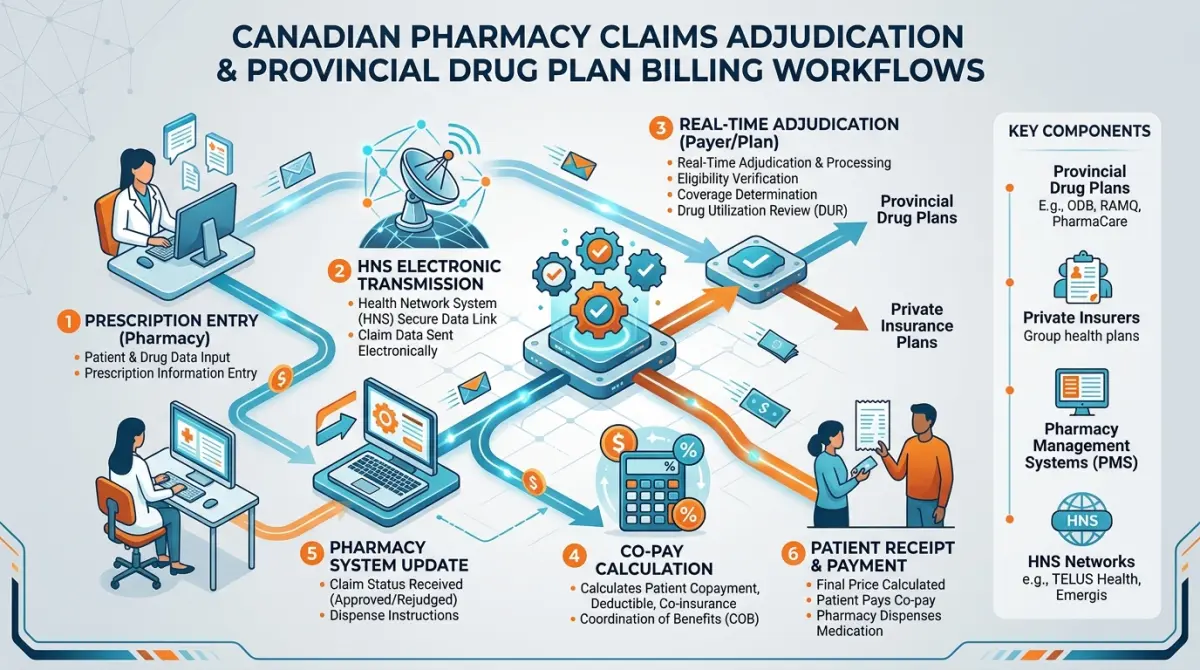
Here is what happens behind the scenes:
- You Enter the Rx: You type the patient's Ontario Health Card Number (10 digits + 2 letters), the doctor's license number, and the drug DIN.
- Electronic Transmission: Your software sends the claim via the secure Health Network System (HNS) network to the Ministry of Health.
- Real-Time Adjudication: The ODB computer checks:
- Is the patient eligible today?
- Is this medication on the approved ODB list?
- Has the patient met their deductible?
- Is it too early for a refill?
- Instant Response: The computer sends back an instant approval with the exact dollar amount the patient owes, or a rejection code explaining what needs to be fixed.
The 3 Types of ODB Medicines: General, Limited Use (LU), & EAP
The Ministry of Health does not cover every medication in the same way. Here is how the 3 tiers work:
| Tier | How It Works | What You Need to Bill It |
|---|---|---|
| 1. General Benefit (GB) | Fully covered with no extra code required | Just enter the standard 8-digit generic DIN |
| 2. Limited Use (LU) | Covered only for approved clinical reasons | Doctor must write a 3-digit reason code |
| 3. EAP (Section 8) | Special approval for specialized/rare drugs | Doctor submits an approval form to the Ministry first |
Tier 1: General Benefit (GB)
These are standard, everyday medications that are approved for everyone with ODB coverage (such as blood pressure pills like Amlodipine, cholesterol pills like Atorvastatin, or antibiotics like Amoxicillin). You simply enter the DIN and bill it.
You can look up benefit codes in our free Ontario Drug Benefit (ODB) Codes Reference Tool.
Tier 2: Limited Use (LU) & 3-Digit Reason Codes
Some medications are more expensive or meant only for specific conditions. For these medications, ODB requires a 3-digit Limited Use (LU) Code written on the prescription by the doctor.
- Real Example: The antibiotic Ciprofloxacin is an LU drug. If a doctor prescribes it for a simple infection that could use a cheaper pill, ODB will not cover it. But if the patient has a severe kidney infection or bacterial resistance, the doctor writes code
123on the prescription. - When you enter code
123in Kroll, ODB immediately approves the claim!
| Medication | Common LU Code | Why Doctor Writes It |
|---|---|---|
| Ciprofloxacin 500mg | 123 |
Documented bacterial resistance to other antibiotics |
| Celecoxib 200mg (Celebrex) | 214 |
Patient has a high risk of stomach ulcers from regular NSAIDs |
| Apixaban 5mg (Eliquis) | 428 |
Blood clot prevention in atrial fibrillation |
| Duloxetine 60mg (Cymbalta) | 447 |
Severe chronic nerve pain |
⚠️ Crucial Beginner Rule: Never make up or guess an LU code! If the prescription does not have a 3-digit code, ask the pharmacist to call the doctor's office to confirm the code before billing.
Tier 3: Exceptional Access Program (EAP / Section 8)
If a patient needs a specialized medication that is not listed on the ODB formulary at all, the doctor must send a formal request to the Ministry of Health called an EAP application. Once the Ministry approves it, they send an approval letter with specific start and end dates.
How to Bill ODB in Kroll Software: 4 Simple Steps
When working at the dispensary computer, follow these 4 simple steps to bill an ODB prescription smoothly:
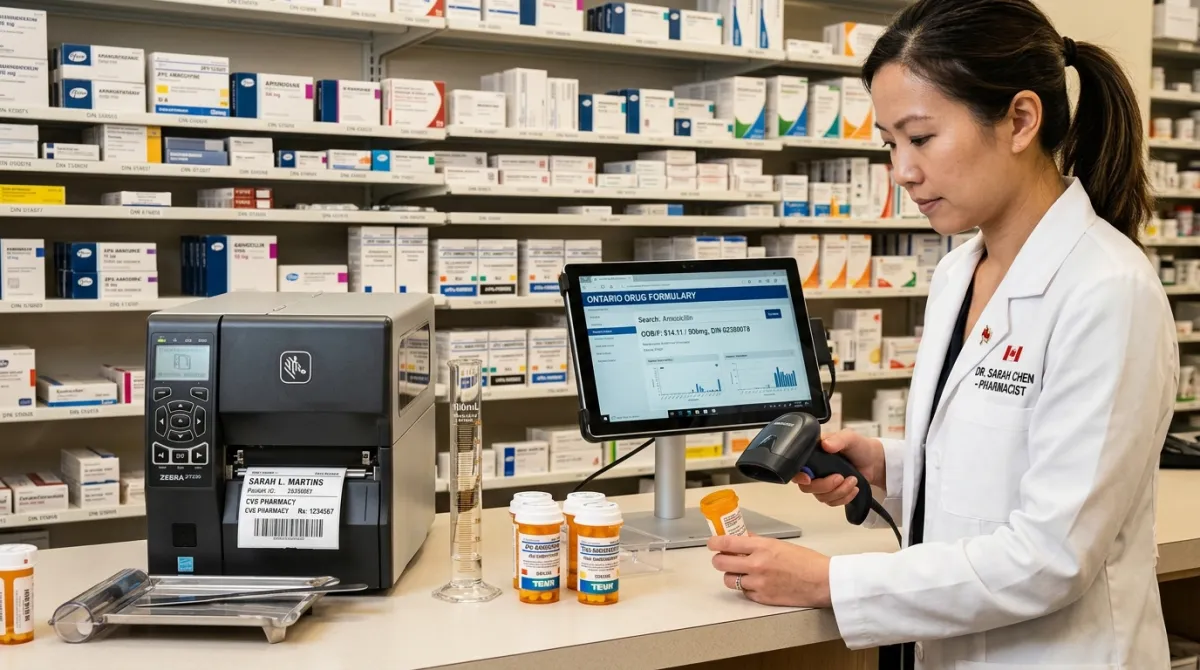
Step 1: Check the Health Card & Version Code
- Ask the patient for their green Ontario Health Card.
- Type their 10-digit Health Number and the 2-letter Version Code (like
1234 567 890 - YM). - Note: If the 2-letter version code is outdated, the claim will reject with Rejection 70.
Step 2: Choose the Correct Sub-Plan in Kroll
In the patient's profile under Insurance/Plans, choose the right sub-plan:
ODB/ODBSfor standard seniors aged 65+.ODBLfor low-income seniors ($2 copay).ODSPorOWfor social assistance.TRILfor the Ontario Trillium Drug Benefit.OHIPPfor youth under 25 without private insurance.
Step 3: Match the Generic DIN (Best Available Price Rule)
- In Ontario, ODB always reimburses based on the cheapest interchangeable generic brand (such as Apo, Teva, Pms, or Sandoz).
- Scan the barcode on the exact generic bottle you are dispensing from the shelf.
- If the patient insists on getting the original brand-name pill (like Lipitor instead of generic Atorvastatin), ODB will only pay the generic portion, and the patient must pay the difference out-of-pocket.
Step 4: Check the Days Supply (100-Day Maximum)
- ODB allows a maximum supply of 100 days per prescription fill for regular maintenance medications.
- If a doctor writes for 180 tablets (1 pill daily for 6 months), adjust the fill quantity to 100 tablets for 100 days, with the remaining 80 tablets stored as a refill on their file.
Top ODB Intervention Codes: How to Fix Rejections Fast
Sometimes when you submit a claim, the computer sends back a rejection. To resolve the rejection, the pharmacy sends a standardized 2-Letter Intervention Code to explain the situation to the government.
You can look up all codes in our free Intervention Codes Quick Reference Guide.
| Intervention Code | Code Name | When to Use It (Simple Example) |
|---|---|---|
UF |
Early Refill / Vacation Supply | A senior is traveling to Florida for 4 months and needs their pills early. |
MP |
Prescriber Consultation | The pharmacist called the doctor to clarify a dose change or allergy. |
MR |
Medication Review | The pharmacist conducted a comprehensive annual MedsCheck review. |
PS |
Professional Service | The pharmacist assessed and prescribed for a minor ailment. |
ML |
Reduced Quantity / Trial | Dispensing a smaller 30-day quantity for a new medication trial. |
PA |
Prior Authorization on File | Confirming that an EAP approval letter is active in the pharmacy. |
EA |
Emergency Supply | Dispensing a small 7-day supply when the doctor's office is closed. |
How to Solve the 4 Most Common ODB Rejections:
1. Rejection 70: "Patient Not Covered / Invalid Version Code"
- Why it happens: The patient got a new health card with a new 2-letter code, or their card is expired.
- How to fix it: Ask the patient to see their current physical health card. Update the 2-letter version code in Kroll and resubmit.
2. Rejection 88: "Refill Too Soon"
- Why it happens: The patient still has plenty of medication left from their last refill (less than 75% used).
- How to fix it: If the patient is going on vacation outside Ontario, ODB allows up to 200 days of vacation supply per benefit year. Enter intervention code
UFand the patient's travel departure date, then resubmit.
3. Rejection 50: "Days Supply Exceeds Program Maximum"
- Why it happens: You entered more than 100 days supply.
- How to fix it: Change the quantity to a maximum of 100 days and re-bill.
4. Rejection 79: "Duplicate Therapy"
- Why it happens: The patient is taking two medicines in the same class (for example, switching from Ramipril to Perindopril).
- How to fix it: The pharmacist checks if the doctor intended to switch medications. If yes, add intervention code
MP(Prescriber Consultation) with a note in Kroll and resubmit.
Coordination of Benefits (COB): Billing ODB with Private Insurance
What happens if a patient has BOTH ODB and a private workplace insurance plan (like Sun Life, Manulife, or Canada Life)?
COB Billing Sequence for Dual Insurance:
- Step 1: Bill ODB First (Primary Payor) — The provincial ODB program is always billed first. It covers the approved medication cost and calculates the remaining patient copayment (e.g., $6.11).
- Step 2: Bill Private Insurance Second (Secondary Payor) — The remaining $6.11 balance is sent electronically to the patient's private insurance plan (Sun Life, Manulife, Canada Life).
- Step 3: Patient Out-of-Pocket Cost — The patient pays $0.00 or only a few cents, depending on their private plan rules!
5 Practical Tips for New Pharmacy Assistants
- Always Double-Check the Generic DIN: Make sure the 8-digit DIN you typed matches the exact bottle on your shelf.
- Remind Seniors about August 1st: Deductibles reset on August 1st every single year.
- Look for 3-Digit LU Codes: Check prescriptions for LU codes before adjudicating to avoid rejections.
- Use Shortcuts in Kroll: Pressing keyboard shortcuts saves hours of time during busy dispensary shifts. Check our Top 10 Kroll Software Shortcuts Guide to speed up your prescription entry.
- Keep Clear Records: Never delete pharmacist consultation notes or doctor verbal authorizations—keep all hardcopies organized.
Frequently Asked Questions (FAQ) for Beginners
Does ODB cover 100% of the cost of every medicine in Canada?
No. ODB covers over 5,000 specific medications listed on the official Ontario Formulary. If a medicine is not on the formulary, the doctor must apply for special coverage through the Exceptional Access Program (EAP), or the patient must pay out-of-pocket.
How much does a senior pay for prescriptions under the Ontario Seniors Drug Benefit Program?
Standard seniors pay the first $100 in drug costs each year (starting August 1st), and then up to $6.11 per prescription. Low-income seniors pay $0 deductible and only $2.00 per prescription.
Can a university student under 25 use OHIP+ if their parents have health insurance?
No. If a student is covered under any private plan (such as a parent's workplace plan or a college/university student plan), they are not eligible for OHIP+. Their private plan must be billed.
What is an Intervention Code in simple words?
An intervention code is a 2-letter note (like UF for vacation supply or MP for doctor consultation) sent to the insurance computer to explain why an unusual claim should be approved.
What happens if a prescription does not have a 3-digit Limited Use code?
The pharmacy assistant cannot make up an LU code. The pharmacist or technician must call the prescriber's office to confirm the reason code and document it on the prescription before billing.
How can I practice billing ODB before my first pharmacy job?
You can book a 1-on-1 practical mentorship session with our licensed Canadian pharmacy instructors on LearnRx to practice live Kroll software workflows, adjudication drills, and interview questions.
Start Your Pharmacy Assistant Journey with LearnRx
Learning provincial billing, Kroll software workflows, and Canadian third-party insurance takes practice. LearnRx is Canada's dedicated training platform for pharmacy assistants, technicians, and international pharmacy graduates.
- Explore Our Free Resources: Access the Ontario Drug Benefit (ODB) Codes Database, the Pharmacy Intervention Codes Directory, and the Canadian Carrier IDs List.
- Get Personalized 1-on-1 Coaching: Practice real-life Kroll prescriptions, mock claims adjudication, and exam prep with our clinical instructors.
Master Canadian Pharmacy Billing with Live 1-on-1 Mentorship
Book a personalized 1-on-1 coaching session with our expert pharmacy instructors to practice live Kroll software entry, ODB adjudication, and career interview skills.
Book 1-on-1 Billing Mentorship Session →